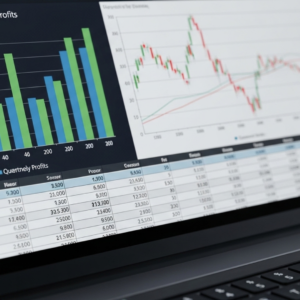
A payment report becomes more useful when the team knows what question it is trying to answer. Are you checking activity from a particular day, locating a specific transaction or preparing an operational follow-up? Those tasks may call for different records, filters and dates. Start with the question so the report has a clear purpose.
Write the question in one sentence
A focused question might be ‘Which items from this date range still need staff follow-up?’ or ‘Where can we find the record for this customer’s payment question?’ Avoid asking one report to answer every operational and accounting question at once. Identify who will use the answer and what action it supports.
Confirm what the date means
Before comparing two views, check which date each one uses. The relevant field may represent a different stage or reporting period. Ask the provider to explain the terminology in your actual system. Record the selected range and any timezone or cutoff information shown so another employee can reproduce the view.
Read the status before interpreting the total
Check the statuses and filters included in the report. Two totals may describe different sets of activity even when the date labels look similar. Do not treat an unexplained difference as a resolved problem or assume a status means something the provider has not confirmed. Keep the question attached to the exact view being reviewed.
Use references to investigate individual items
When an item needs attention, retain the appropriate system reference and the reason for the review. Follow the authorized lookup process instead of copying more customer or payment information than the task requires. Assign the question to the person who can investigate it and record the outcome.
Save a repeatable review note
Record the report name, filters, date range and open questions. A short note makes the next review easier and helps explain why a previous number differs from a later view. If a question concerns accounting treatment or an account-specific processing detail, route it to the responsible professional or provider rather than guessing from the screen.
Quick review checklist
- Question and intended action defined
- Date fields understood
- Statuses and filters checked
- Relevant references retained
- Open items assigned
Bring the questions your staff need to answer to a conversation with GMS. Ask the team to confirm which reports are available for your proposed setup and demonstrate how those reports would support your workflow.
Review payment reporting with GMS
Explore the related GMS tools and services.